Models
The Models page (Code → Models in the App Panel) shows every model registered across all modules in your Zango app. It reflects the current state of your database schema as Zango understands it — useful for verifying migrations ran correctly and for inspecting field definitions without reading source code.
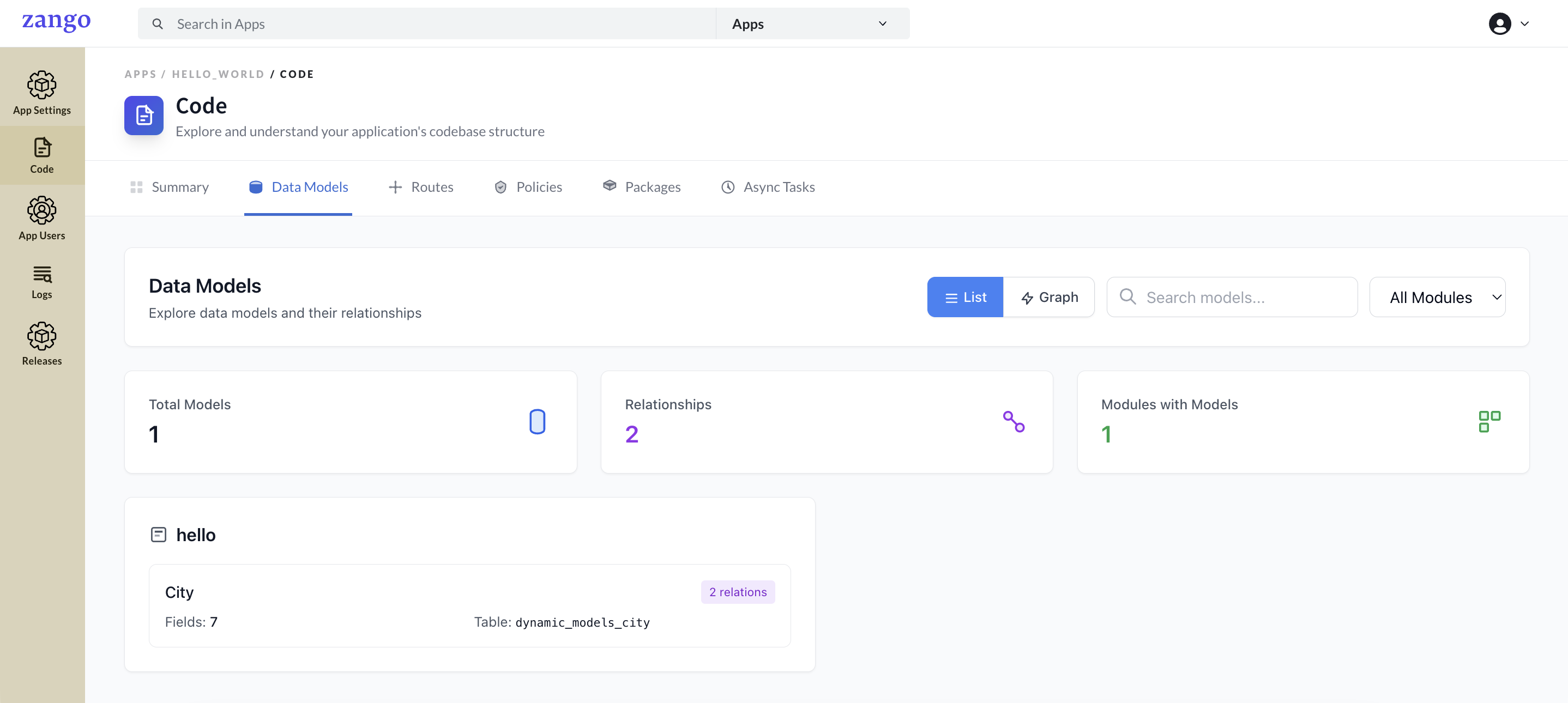
What It Shows
The Models list displays:
| Column | Description |
|---|---|
| Model name | The Python class name (e.g., Patient, Order, Doctor) |
| Module | Which backend module owns the model (e.g., patients, orders) |
| Field count | Number of fields defined on the model |
Model Detail
Click any model to view its full schema.
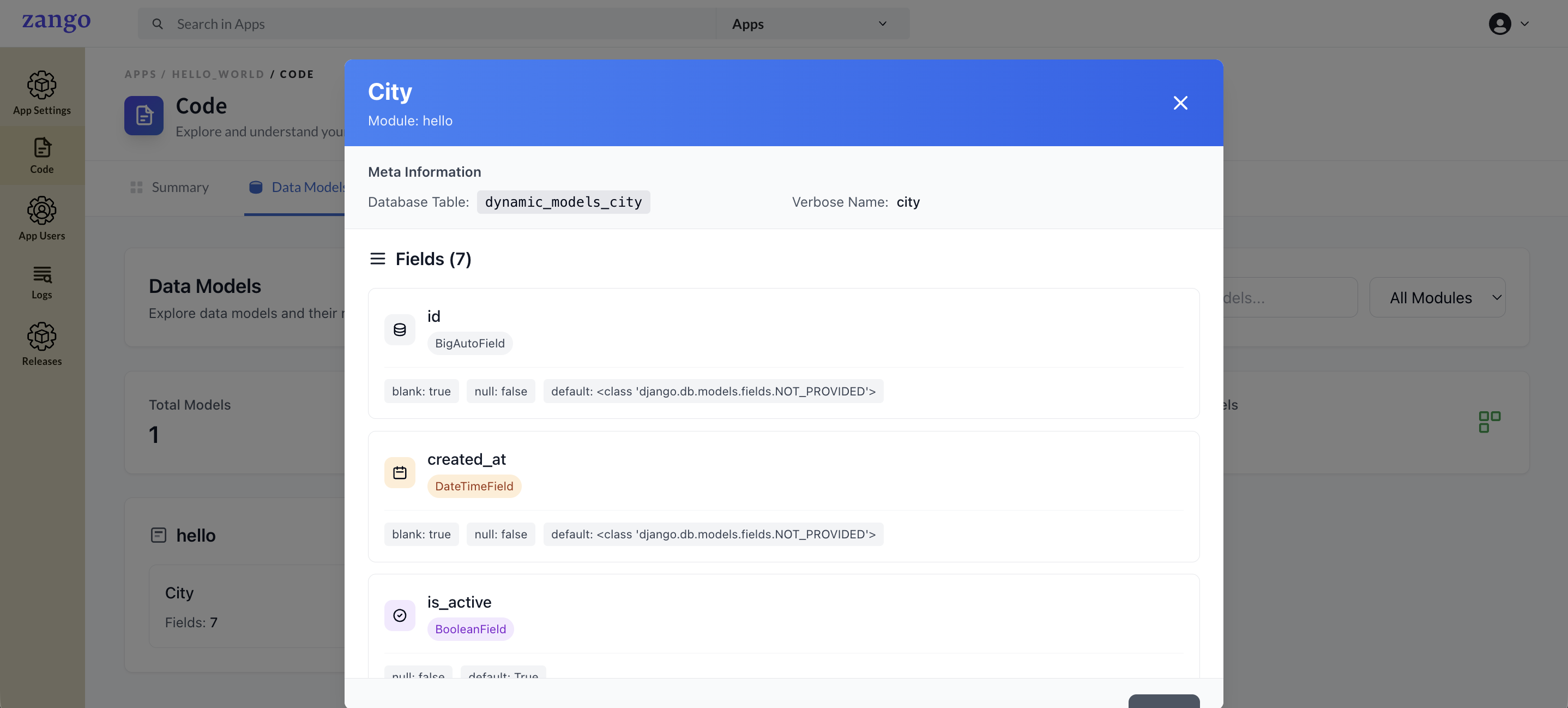
The detail view shows:
- All field names and their types (CharField, DateField, ZForeignKey, etc.)
- Constraints — null, blank, max_length, default, choices
- Foreign key targets — which model a ZForeignKey points to
- Auto-generated fields like
created_at,updated_at,id
Model Rules in Zango
All models must:
- Extend
DynamicModelBase— nevermodels.Model - Use
ZForeignKeyfor foreign keys — nevermodels.ForeignKey - Never define
class Meta: - Never use
ManyToManyField— create an intermediary model instead
from zelthy.apps.dynamic_models.models import DynamicModelBase
from zelthy.apps.dynamic_models.fields import ZForeignKey

class Patient(DynamicModelBase):
    name = models.CharField(max_length=200)
    date_of_birth = models.DateField()
    doctor = ZForeignKey('doctors.Doctor', on_delete=models.SET_NULL, null=True, blank=True)
Running Migrations
After creating or modifying models, use workspace migration commands (not standard Django makemigrations/migrate):
# Docker Compose
docker compose -f deploy/docker_compose.yml exec app bash -c \
  "cd zango_project && python manage.py ws_makemigration <app_name> \
  && python manage.py ws_migrate <app_name>"

# Python venv (from zango_project/ directory)
python manage.py ws_makemigration <app_name>
python manage.py ws_migrate <app_name>
Once migrations complete, new models appear in the Models panel.